Vistaro · Photo stories
The best photos deserve more than a folder.
Watch a favourite collection. Find the picture you remember. Make a card with words that sound like you. A look at what is here, and what is next for Vistaro on Mac.
Madhav Mallya · AuraBridge Systems · Published 1 November 2026 · 5 minute read
There is usually one picture you go back for. The table before everyone sat down. The view from the last evening of a trip. Someone laughing just outside the frame. You remember the moment far better than the filename.
Yet a folder of photos can become another thing to sort later. Vistaro began with a smaller invitation: open the folder and look. Not to organise your whole life. Just to enjoy what is already there.
Start by watching, not arranging.
In the Mac app available today, photos and videos share the same full-screen collection. Open a Finder folder, choose a comfortable autoplay interval, and let the pictures come to you. Subfolders can join the same session, so a trip spread across several folders need not become a new project.
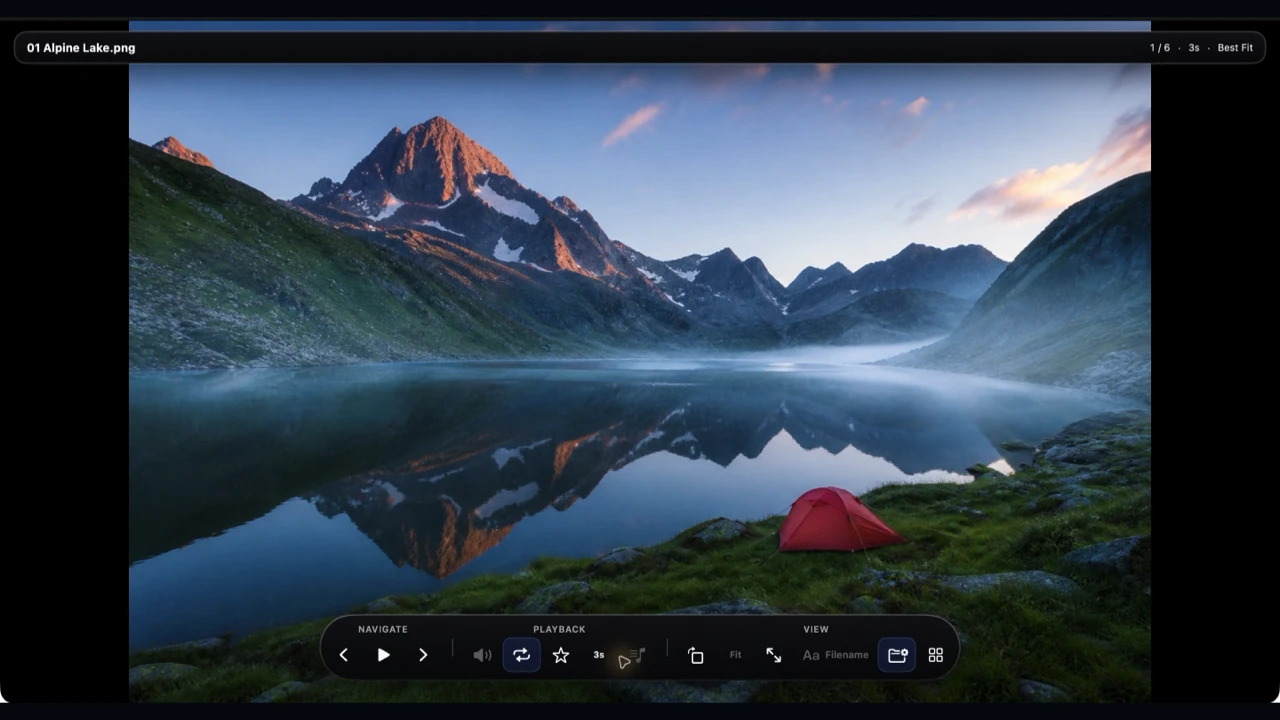
Pause on a favourite. Zoom in on a detail. Let a little video play, or mute it and carry on. The point is the memory, not a presentation you have to prepare first.
Next: look for what you remember.
You may remember “beach” and have no idea whether the picture was called IMG_4102 or something else. The Find work in our next version is about that gap: helping you look through photos you choose to add, using what is in them.
It is a way to begin with a familiar word rather than a file path. You stay in charge of the sources Vistaro can use, and the work happens on your Mac. This is a preview of the direction we are building, not a promise that every word will find every picture.
A photo can become a greeting.
Finding a favourite often leads to another thought: “I should send this to them.” That is where the new card tools come in. Choose photos, pick a design, and add a few words of your own. A birthday, an anniversary, a thank-you after a visit, or simply a little hello.
The preview uses straightforward choices. Your words sit beside the card, so you can see how a headline or message looks as you change it. Colours have names. The result stays visible. You do not have to begin with a blank page or know the language of design software.
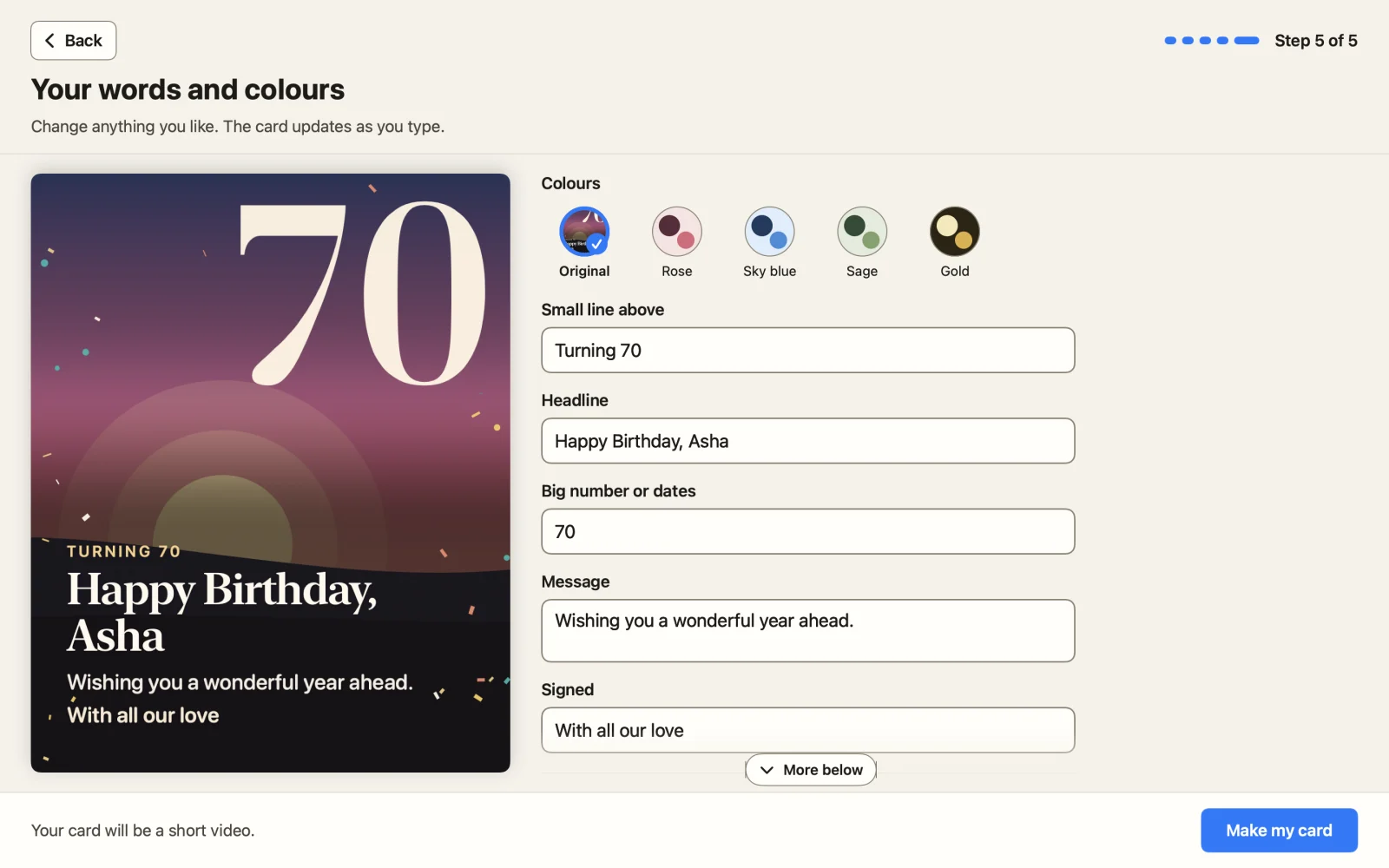
A good greeting need not say much. “Wish you were here.” “Thank you for a lovely weekend.” “With all our love.” The photos carry the story; the words make it yours.
A still card, or a little film?
Some moments fit in one picture. Others feel better when a few photos move in sequence with music. The new sending flow brings those choices together: a picture or a short video, followed by where you want to use it.

The preview offers familiar destinations such as WhatsApp, Messages and Email, alongside saving a file. Vistaro prepares the card for the destination you choose. You still decide who receives it and complete the send in the other app; nothing is posted on your behalf.
Keep the photos. Choose what leaves.
Vistaro's starting point remains the same: work on your Mac, without uploading your photos to AuraBridge Systems. The current viewer needs no Vistaro account or subscription. Sharing is a separate choice, and the app or service you send through has its own privacy settings.
For anyone checking two versions of an image folder, the current app also includes PNG/JPEG comparison. It is there when you need a closer inspection. For an afternoon with your photos, you can simply open the folder and press play.
Give a favourite folder another afternoon.
Explore the current Vistaro app and its screenshots, or view Vistaro on the Mac App Store. The public version is 1.11.3, priced at $4.99 USD once in the US store. Apple shows your local price before purchase.
Find, cards and short videos remain previews. The current purchase is for the features available today.